What's Possible
What a Smart Home Can Actually Do
Home Assistant can connect almost anything in your home - but the real value isn't the technology, it's what it does for the people living there. Here's a look at what's genuinely possible.
Security & Access
Smart Locks
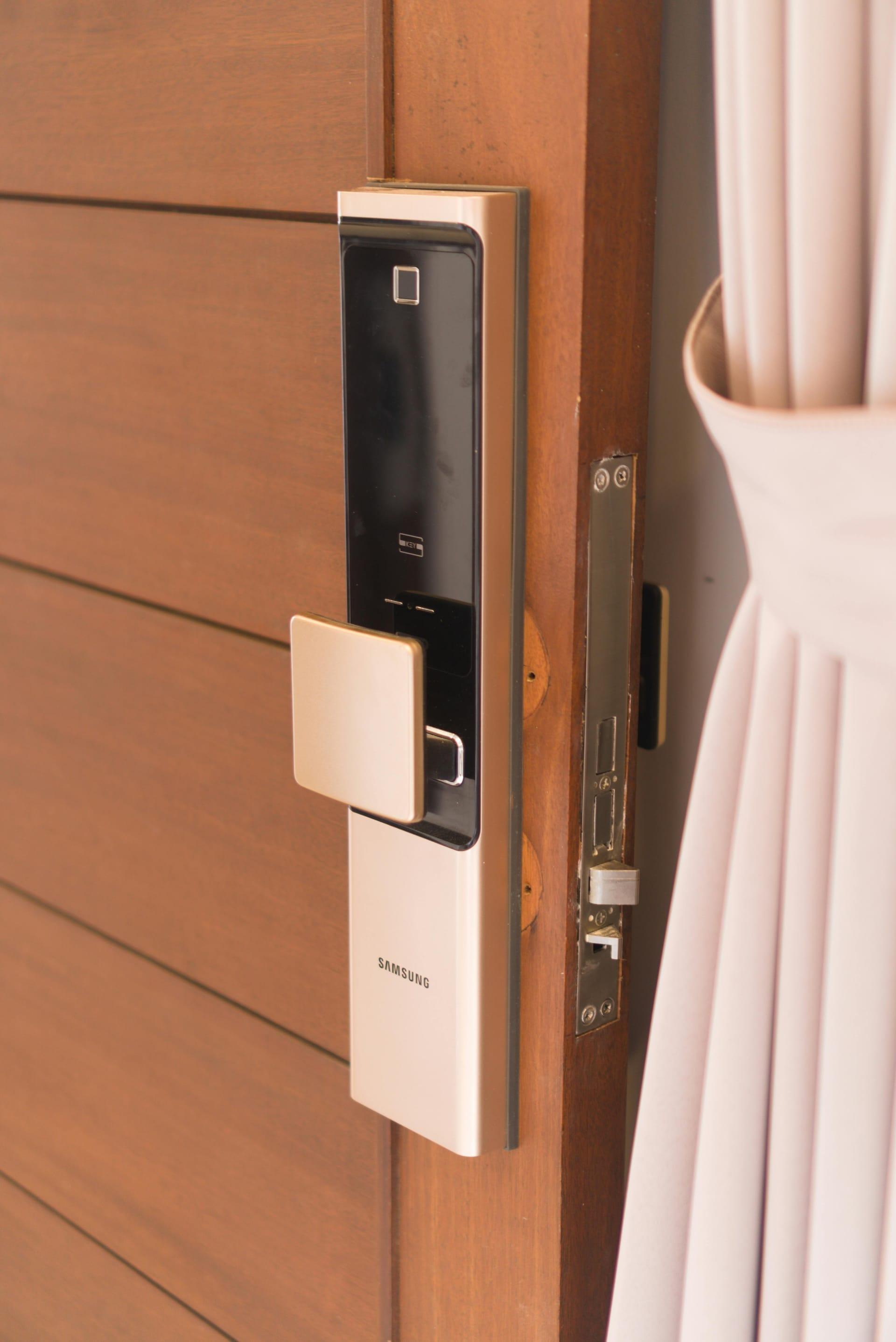
One of the most immediately satisfying upgrades you can make. A smart lock means you never have to wonder if you locked up — because your home already knows.
Home Assistant can automatically lock your doors when your phone leaves the home area, and unlock them when you return. No app required — it just works. Combine this with a video doorbell and you can see exactly who's at the door, get a notification when a package arrives, and keep a log of every time the front door opens.
You can create temporary PIN codes for guests, cleaners, or contractors — codes that expire automatically after a set time or date. And when someone uses one, you can get a notification telling you who it was and when.
The practical upside goes beyond convenience. For households with kids, elderly family members, or anyone who tends to forget — automatic locking at bedtime or when the house is empty is peace of mind that's hard to put a price on.
Home Assistant examples
Comfort & Climate
Automated Blinds
Blinds are one of those things you adjust multiple times a day without thinking about it. Automating them gives you that time back — and your home gets smarter about light and temperature in the process.
Home Assistant can open your blinds gradually in the morning to wake you up naturally rather than with an alarm. It can close them on a south-facing window in the early afternoon to stop the room overheating in summer, then open them again once the sun moves past. Over a year, this kind of passive thermal management makes a real difference to your energy bills.
Movie time is another obvious one — a single tap or voice command closes all the blinds, dims the lights, and switches the TV input. When the movie ends, everything goes back to normal. This kind of scene control is where Home Assistant really shines: one trigger, many actions across completely different device types.
For compatible blinds (IKEA Fyrtur, Soma, Aqara, Zemismart, and many others), Home Assistant handles the integration directly — no separate hub, no separate app, everything in one place.
Home Assistant examples

Ambience
Accent Lighting
Smart lighting goes far beyond turning lights on and off from your phone. Done well, it changes the feeling of your home throughout the day without you ever thinking about it.
Circadian lighting is one of the most underrated features of a Home Assistant setup. The idea is simple: your lights automatically shift from cool, energising white in the morning to warm amber in the evening — matching the natural pattern of daylight. It sounds subtle, but people consistently report sleeping better and feeling more alert at the right times of day.
Accent lighting — LED strips behind TVs, under cabinets, along shelves — is where you can get creative. Home Assistant integrations like Hyperion and Adalight can sync strip lighting to the colours on your TV in real time. Set up scene buttons so dinner gets warm candlelight tones, movie night gets a deep blue bias light, and a party scene cycles through colours. These are controlled through a tap on your phone, a voice command, or an NFC tag stuck inside a cupboard door.
Motion-based hallway and bathroom lighting that turns off automatically is an easy early win. No more lights left on all day, no more stumbling around in the dark at 2am.
Home Assistant examples

Energy
Energy Efficiency
A smart home that's paying attention to your energy use can meaningfully reduce your bills — and if you have solar, it can make sure you're getting the most out of every kilowatt.
Home Assistant can monitor energy consumption at the whole-home level and, with the right smart plugs, at the individual device level. You can see exactly how much your dryer costs per cycle, which devices are quietly drawing power on standby, and how your consumption changes across seasons. That visibility alone changes behaviour — most people are genuinely surprised by what they find.
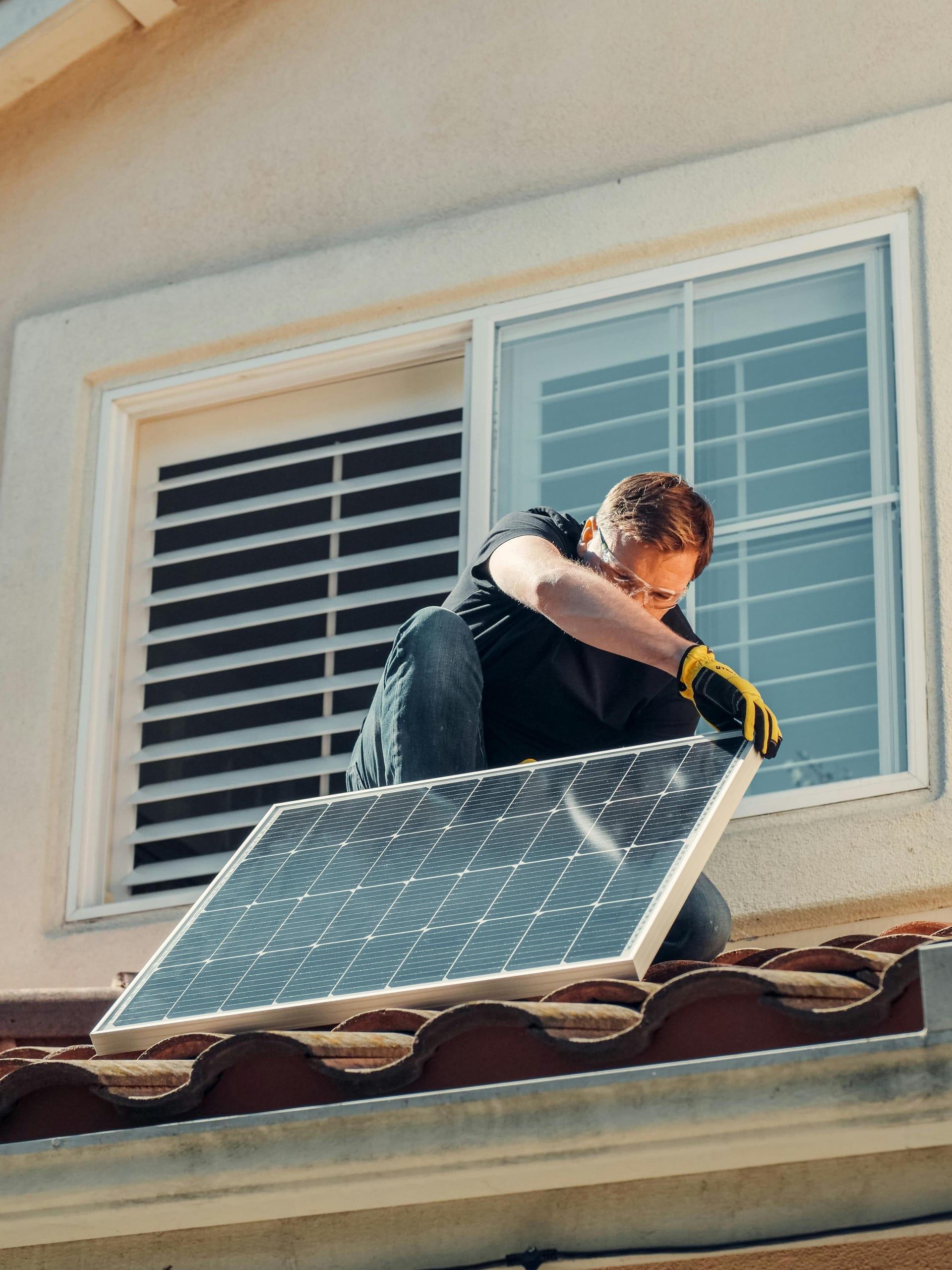
For households with solar panels, Home Assistant integrations with inverters (SolarEdge, Fronius, Enphase, Goodwe, and more) let you build automations that take advantage of excess generation. Start the dishwasher when solar output crosses a threshold. Delay the EV charger until midday when generation peaks. Pre-cool the house before the evening peak tariff kicks in.
Time-of-use tariff awareness is another big one. With Home Assistant tracking your tariff schedule, you can automate appliances to run during off-peak windows — washing machine starts at 11pm, hot water system tops up at 3am. Set it once, save money indefinitely.
Home Assistant examples
Safety & Independence
Aging in Place
A well-designed Home Assistant setup can help older family members stay independent for longer — and give the rest of the family quiet reassurance that everything is okay.
Motion sensors placed thoughtfully around a home build a picture of daily routine. If the bedroom sensor usually triggers by 8am but hasn't by 10am, that's worth a notification to a family member. If the kitchen sensor fires every morning before 9 but doesn't today, that's a gentle signal to check in. This kind of passive monitoring respects privacy and dignity — there are no cameras involved, just the gentle awareness that everything is following its normal pattern.
Lighting automations remove the need to find switches in the dark. Sensors in hallways, bathrooms, and kitchens mean lights come on when needed and go off automatically. Fall risk at night is a real concern, and motion-triggered path lighting from bedroom to bathroom is one of the simplest things you can do to address it.
Home Assistant also supports integration with personal emergency response buttons and wearables. A press of a button can trigger a notification to multiple family members, flash lights to indicate help is coming, and unlock the front door for emergency access — all from a single automation.
Home Assistant examples

Family Life
Shifting the Mental Load
The mental load of running a household is relentless. Home Assistant can quietly absorb a chunk of it — the stuff you have to remember but wish you didn't.
The classic example is leaving the house. Did you lock the front door? Did you leave a light on? Is a window open? With Home Assistant, you don't have to remember — your home checks for you. An 'everyone left home' automation locks the doors, turns off lights and appliances, adjusts the thermostat, and can even send a summary to your phone confirming what it did. You stop at nothing, you just leave.
Bedtime is another one. A 'goodnight' routine — triggered by a button beside the bed, a voice command, or automatically when you plug in your phone to charge — can lock the front door, check all windows are closed, turn off every light except the bedroom, set the thermostat to night mode, and put the TV in standby. One action, ten things done.
For families with children, Home Assistant can make school mornings less chaotic. A wake-up routine that gradually brightens the bedroom lights, changes the bathroom light to a cheery colour, and plays a gentle sound at the right time. When it's time to leave, a different colour or a voice announcement. No yelling up the stairs required. These are small things individually, but the cumulative effect of not having to think about them is significant.
Home Assistant examples
Flood Prevention
Water Leak Detection
A burst pipe or a slow drip under the sink can cause tens of thousands of dollars in damage — and it often goes undetected for hours. Instead of spending thousands installing a new floor drain, your smart home can detect a leak the moment water hits the sensor and shut off your water supply automatically.
Water leak sensors are inexpensive — typically $15–$40 each — and communicate wirelessly via Zigbee or Z-Wave directly to Home Assistant. Place them under sinks, beside the dishwasher, behind the washing machine, near the hot water heater, and anywhere else a leak would cause serious damage. The moment moisture is detected, Home Assistant springs into action: sending an alert to your phone, sounding an alarm, and — if paired with a smart water shutoff valve — closing the main water supply before the situation has a chance to escalate.
A motorised ball valve on your main water line is the piece that turns a simple notification into active protection. These valves typically cost $80–$200 and fit most standard pipe sizes. When a leak is detected anywhere in the house, the valve closes automatically within seconds — water flow stops, and damage stops with it. You receive a notification identifying exactly which sensor triggered and confirming the shutoff, so you know precisely where to look when you get home.
For holiday homes, investment properties, or any home that sits empty for extended periods, this is arguably the single highest-ROI smart home upgrade you can make. One undetected burst pipe over a long weekend can result in flooring replacement, wall linings, mould remediation, and insurance claims running well into five figures. A leak sensor network and automatic shutoff valve costs a fraction of that — and the peace of mind when you're away is genuinely priceless.
Home Assistant examples

Short-Term Rentals
Airbnbs & Short Term Rentals
If you run a short-term rental, Home Assistant can automate the guest experience from check-in to checkout — saving you time, reducing issues, and making your property feel genuinely premium.
Smart locks are the foundation. Home Assistant can generate unique access codes for each booking, tied to the check-in and checkout dates from your calendar or channel manager. When the booking ends, the code expires automatically. No more key handovers, no more lockbox combinations shared on Airbnb messages. Guests get a seamless entry experience, and you get a full log of when they arrived and left.
Climate control is another big one. Home Assistant can set the heating or cooling to a comfortable temperature an hour before check-in and switch to an energy-saving setback mode after checkout. If the property is empty between bookings, the system drops to a minimum to save on bills. For hosts managing multiple properties, this alone can pay for the setup within a few months.
Guest-ready automations can handle the things you'd otherwise need to remember or pay someone to check. Lights on in the entrance for evening arrivals. A welcome scene that sets the lighting and temperature just right. Checkout reminders sent to a smart display or speaker. Occupancy sensors that confirm the property is vacant so cleaners know when to head over. It all adds up to a more professional operation with less of your time.
Home Assistant examples
Hear my chat with Jasper about his hotel powered by Home Assistant
Listen to the Episode
Stuck? Let's Get You Unstuck.
Whether you're battling a broken automation, starting from scratch, or just want someone to sanity-check your setup — book a session and let's sort it out together.
Book a Session